Train your Brain - Attention
Senior GamesTrivia
4.51.82K Reviews
- Version
- 2.9.3
- Installs
- 5.00M
- Age Rating
- Everyone
Screenshots
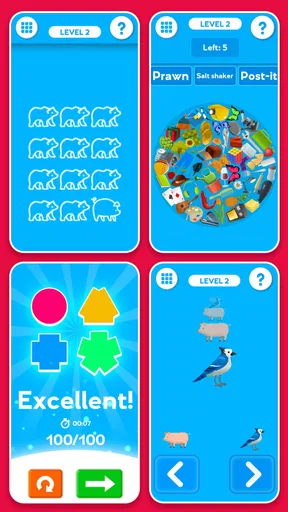
Our Review of Train your Brain - Attention
 Analysis by Appyee
I approached Train your Brain - Attention as a small daily trivia game rather than a serious study course, and that distinction matters. It is made by Senior Games and focuses on attention and concentration through short brain-training activities. The experience is easy to understand from the first screen: you read a prompt, look carefully, choose an answer, and move on. I found that simplicity reassuring, especially when I wanted something light to do for a few minutes instead of committing to a long game session.
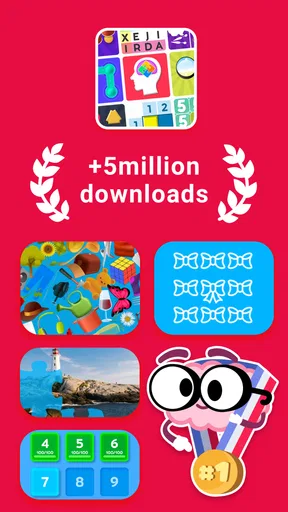
This is a free trivia game for everyone, with optional in-app purchases ranging from $0.99 to $4.49 per item. It has been available since November 2, 2018, and its current version is 2.9.3. The game has built a sizeable audience, with over five million installs and an average rating of 4.5 from around ninety-nine thousand ratings. Those figures suggest that the straightforward format works for many people, although popularity alone does not make it the right choice for every type of player.
What the attention games feel like in everyday use
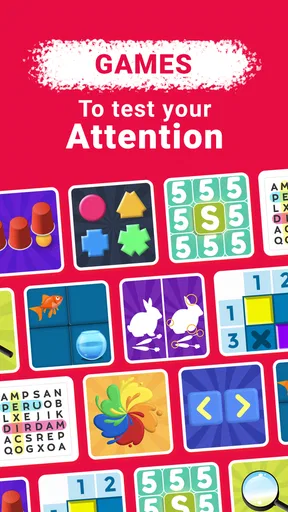
The main appeal is the short question-and-answer rhythm. Instead of presenting a large lesson or asking you to memorize a complicated rule set, the game puts your attention on a small task. You may need to distinguish details, remember what you just saw, or avoid answering too quickly. That makes it feel closer to a collection of mental warm-ups than to a conventional trivia quiz about history, films, or geography.
I like this approach for moments when my mind feels scattered. For example, after putting away groceries, I might sit down with my phone before starting the next chore. A brief round gives me a clear change of focus: I stop thinking about the shopping list, read the challenge, and concentrate on the answer. It does not turn that moment into a scientific test, but it does create a useful pause between tasks.
The game is also approachable for people who do not normally play games. There is no need to learn a fictional world, understand a complex interface, or remember a long story. Senior Games keeps the idea familiar: pay attention, make a choice, and see how you did. That makes it a reasonable option for a parent, grandparent, or casual player who wants something more active than scrolling through social media.
At the same time, I would not confuse the activities with professional cognitive training. The game can encourage careful observation and focused thinking, but it is still entertainment. If you are looking for formal assessment, academic instruction, or a structured rehabilitation tool, this is not the category I would choose. Its strength is convenience, not clinical authority.
Starting without feeling lost
The first useful step is to treat the opening session as orientation rather than a performance test. Read each instruction slowly, look at the whole screen before tapping, and resist the temptation to answer based on the first detail that catches your eye. Attention games often make the obvious choice feel urgent, while the real task is noticing a small difference or remembering a short sequence.
I recommend playing the first few activities somewhere reasonably quiet. A television in the background or a conversation beside you can make a simple challenge feel unfair, particularly when the task depends on visual details. This is one of the most practical lessons I took from using it: the quality of the session depends partly on how much attention you can actually give it.
The game is free to download, so the barrier to trying it is low. The presence of optional purchases means that a first-time user should still pay attention to any purchase prompt and decide in advance whether the free experience is enough. For me, the sensible starting point is to use the basic game naturally before spending anything. A purchase should solve a specific annoyance, not be an automatic part of the installation process.
How to reach the first meaningful success
My best advice is to slow down before the first tap. Scan the instruction, identify what the question is really asking, and then check the available answers. Many mistakes in this kind of game come from answering a slightly different question than the one on screen. If the task is about a detail, do not let the overall picture distract you; if it is about memory, avoid looking back for clues before deciding.
A practical routine is to use one short session as a baseline. Do not worry about producing a perfect result immediately. Notice which tasks feel natural and which ones make you rush. On the next attempt, focus on the weak point: perhaps you need to read the wording twice, pause before selecting, or mentally describe what you saw. That turns a casual game into a more deliberate attention exercise without making it feel like homework.
I also found that playing when tired changes the experience. A result that feels disappointing late at night may say more about fatigue than ability. If the goal is to practise concentration, a short session during a break in the afternoon can be more useful than repeatedly trying after a long day. The game works best as a small habit, not as something to grind until every answer is correct.
The first success is not simply getting an answer right; it is learning why you missed one. If I tap too quickly, I can identify that habit and adjust. If I misunderstand the instruction, I know to spend more time reading. That feedback is more valuable than chasing a score without understanding my mistakes.
Where new players commonly hesitate
The biggest source of confusion is the difference between speed and attention. A quick response can feel impressive, but rushing often causes the exact error the game is designed to expose. I would rather take an extra moment to inspect the screen than treat every challenge as a race. Unless you personally enjoy fast reactions, accuracy and calm observation are a better starting point.
Another point that can confuse first-time users is the meaning of “brain training.” The phrase may suggest a complete program that improves every mental skill. In practice, this game gives you focused activities built around attention. That makes it useful for practising a narrow kind of concentration, but it does not replace reading, learning a new skill, exercising, sleeping well, or taking proper breaks.
Some players may also expect trivia in the usual sense: questions about facts, culture, or general knowledge. This title is different. Its trivia label is better understood as short mental challenges than as a traditional quiz. If you want to test whether you know capital cities or famous dates, a general-knowledge quiz will probably suit you better. If you want to inspect details and make focused choices, this game is closer to what you are seeking.
The purchase model deserves a calm explanation as well. The game itself is free, while optional items cost between $0.99 and $4.49 each. I would not install it assuming that every useful part requires payment, but I would also avoid tapping through purchase screens without reading them. For a casual player, the free portion may be all that is needed. Someone who plays regularly may decide that an optional item is worthwhile, but that is a personal convenience decision rather than a requirement for understanding the basic concept.
Who will enjoy it most
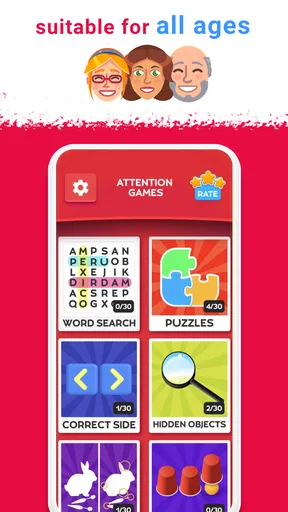
I think this game fits people who want a low-pressure activity that can be started and stopped easily. It is particularly suitable for short breaks, quiet waiting periods, or a simple evening routine. Because the content rating is Everyone, it is also accessible to a broad household audience, although younger players may still benefit from an adult explaining that the game is practice and entertainment rather than a measure of intelligence.
It can be a good choice for someone returning to mobile games after a long break. There is no complicated control scheme to master, and the emphasis on observation makes the first session understandable. I can also see it working for two people taking turns, with one person reading the task and the other deciding, as long as both players agree not to turn the activity into an argument about speed.
It is less suitable for players who need deep progression, a story, competitive multiplayer, or a large variety of subjects. The focused format may feel repetitive if you expect a new world, character system, or detailed reward structure every time you play. Likewise, anyone who dislikes being evaluated by correct and incorrect answers may find a relaxation app more comfortable.
People with attention difficulties may appreciate the short format, but they should approach it flexibly. A noisy environment, tiredness, or visual strain can make the challenges harder. Adjusting the session length and playing with fewer distractions is more sensible than interpreting every mistake as a personal limitation.
How it compares with familiar alternatives
Compared with a standard trivia app, this game asks less about what you know and more about how carefully you process what is in front of you. That makes it a better match for someone who is bored by fact questions but still wants a quiz-like interaction. The trade-off is that it may feel less varied to a player who enjoys learning new information with every question.
Compared with meditation apps, it is more active and answer-driven. Meditation can help someone slow down through breathing or guided awareness, while this game keeps the mind busy with a task. I would choose this title when I want a structured distraction and choose meditation when I need to reduce stimulation. Neither one is a universal replacement for the other.
Compared with broad brain-training suites, the focused design is both an advantage and a limitation. You can get into an attention exercise without navigating a large collection of unrelated activities. However, people seeking memory, language, mathematics, and problem-solving practice in one place may prefer a larger platform. The right decision depends on whether you value a narrow, approachable routine or a more extensive training library.
It also differs from ordinary puzzle games. A puzzle game may reward planning, experimentation, or long-term strategy, while this experience places more weight on immediate observation. If I have ten minutes and want a compact concentration break, I prefer the directness here. If I want to become absorbed in a challenge for an hour, I would select a deeper puzzle title instead.
Small habits that make the experience better
One useful workflow is to play at a consistent point in the day, such as before lunch or after finishing work. The routine makes it easier to notice whether you are distracted because of the task itself or because you are mentally overloaded. I would keep the session short at first and stop while the activity still feels fresh. Extending a practice session after concentration has already dropped can turn a helpful break into frustration.
Another tip is to separate observation from reaction. First take in the entire challenge, then identify the relevant detail, and only then select an answer. This three-step pause sounds simple, but it prevents the common mistake of tapping the first familiar option. It is especially helpful when the screen contains several elements competing for attention.
I also suggest keeping a mental note of error patterns rather than individual answers. Remembering that you tend to overlook small changes is more useful than memorizing one solution. The game becomes more valuable when it teaches you something about your own habits: rushing, skimming instructions, losing focus after a mistake, or second-guessing a correct choice.
For families, the best approach is cooperation rather than comparison. One person can describe how they inspected the challenge, while another explains why a different answer seemed plausible. That conversation turns a solitary phone activity into a gentle shared exercise. It also avoids making the game feel like a judgment of who is cleverer.
Performance, access, and practical expectations
The game supports devices using Android 7.1 or later, which makes it available to people who do not own a recent phone. Before installing, I would still check that the device has enough free space and that the operating system meets that requirement. The broad compatibility is helpful for households with older phones, especially when the goal is simply to try a casual game rather than upgrade hardware.
Its free entry point is another practical advantage. You can decide whether the style suits you before considering any optional items. I would recommend using the first several sessions to answer three questions: do the challenges hold your attention, do you understand what each task is asking, and do you enjoy repeating this kind of activity? If the answer to those questions is no, spending money is unlikely to fix the underlying mismatch.
The rating of Everyone makes the title easy to recommend across age groups, but the experience still depends on reading ability, eyesight, and comfort with touch controls. A child may understand the idea quickly but need help with instructions. An older adult may enjoy the mental challenge but prefer a larger screen. In both cases, the phone or tablet setup can matter as much as the game itself.
My recommendation after using it
I would recommend Train your Brain - Attention to anyone who wants a simple, focused trivia-style game for short sessions. Senior Games has kept the central idea clear: look carefully, think before responding, and use mistakes as a reason to adjust your approach. The large install base and 4.5 average rating reflect its broad appeal, but my recommendation is based more on the uncomplicated routine than on popularity.
I would skip it if your main goal is general-knowledge learning, an expansive puzzle adventure, meditation, or a complete cognitive-training curriculum. Those needs call for different kinds of apps. I would also skip it if you dislike repeated attention challenges or feel pressured by right-and-wrong feedback. There is no benefit in forcing yourself through a format that makes your break more stressful.
For a first-time user, the path is straightforward: install the free game on a compatible device, choose a quiet moment, read the first instruction carefully, and treat the opening attempts as practice. Do not rush to judge yourself by one result. After a few sessions, you should know whether the short challenges help you reset your attention or simply feel repetitive.
My final view is positive but measured. This is a friendly, accessible game that can turn a spare few minutes into a deliberate concentration break. It is most effective when used with realistic expectations and a repeatable routine. If you want a lightweight attention exercise rather than a full educational program, this is a worthwhile free starting point.
Verdict
Strengths of Train your Brain - Attention
- Short exercises make it easy to fit brain training into a busy day.
- Progress tracking helps you monitor attention performance over time.
- Simple controls make the app accessible for beginners and older users.
- Different challenge types help keep daily sessions from feeling repetitive.
- Works well for quick offline practice when an internet connection is unavailable.
Limitations of Train your Brain - Attention
- Some exercises may become repetitive after extended use.
- Difficulty can feel uneven between different attention challenges.
- Limited features may make it less appealing to advanced brain-training users.
- Results should not be treated as a clinical measure of attention.
- Frequent reminders may feel intrusive if notification settings are not adjusted.
Other Releases by Senior Games
View All


Similar Picks in This Category
View All
Millionaire 2026 Quiz & Trivia
Quiz & Trivia Games by Submarine Apps4.5

Brain Test 2: Tricky Stories
Unico Studio4.7

Trivia Crack: Brain Quiz Games
etermax4.4

QuizzLand. Quiz & Trivia game
Quiz & Trivia Games by Mno Go Apps4.8

Brain Test: Tricky Puzzles
Unico Studio4.7

Logo Quiz
bubble quiz games4.5
Frequently Asked Questions
What is Train your Brain - Attention?
Train your Brain - Attention is a brain-training app focused on improving concentration, visual attention, reaction speed, and short-term mental processing. It provides brief exercises and challenges that ask you to identify details, remember information, or respond quickly to changing elements. The format is designed for regular practice, making it suitable for users who want simple cognitive activities during short breaks.
How does Train your Brain - Attention work?
The app presents a collection of attention-based mini-games and timed exercises. As you complete activities, it records your performance and may adjust the difficulty or show progress through scores and statistics. The challenges generally reward accuracy and quick responses, so the experience can become more demanding over time. Results should be viewed as personal training feedback rather than a professional assessment of cognitive ability.
Is Train your Brain - Attention suitable for children and adults?
The straightforward controls and short exercises can make Train your Brain - Attention accessible to both younger and older users, although the appropriate age depends on the app’s store rating, language, and the child’s ability to understand the instructions. Parents should review permissions, advertisements, and any in-app purchase options before allowing children to use it. It is best treated as entertainment and practice, not medical treatment.
Can Train your Brain - Attention improve concentration in everyday life?
Regular attention exercises may help users practice skills such as observing details, maintaining focus, and reacting to visual information. However, the app cannot guarantee measurable improvements in school, work, driving, or other daily activities. Benefits usually depend on consistent use, adequate sleep, and broader healthy habits. Use the scores to monitor your own progress, but avoid interpreting them as a diagnosis or clinical evaluation.
Does Train your Brain - Attention require an internet connection or include purchases?
Many brain-training apps allow at least some exercises to be played offline, but certain features—such as advertisements, cloud synchronization, rankings, updates, or extra content—may require an internet connection. Availability of premium exercises, ad removal, subscriptions, or other purchases can vary by platform and version. Before downloading, check the Google Play or App Store listing for current pricing, permissions, privacy details, and device compatibility.
Play our best games!


